VK Ads and Yandex Direct ad spend, automated: setup and matching with flows
Spend is pulled from the ad account once an hour and lands on the same campaigns and ads as the clicks. How to connect it and why spend is tied to the campaign, not to the flow.
ROI in a tracker is only as honest as the spend figure. Revenue arrives by postback on its own, while spend is usually carried over by hand: open the ad account, write down the number, type it into a spreadsheet. A week later the spreadsheet is behind; a month later it has an error nobody will ever find.
In inotrack, VK Ads and Yandex Direct spend is pulled via API once an hour and lands on the same campaigns, ad groups and ads that the clicks go through. Below is how to connect this on your own server, how the matching works and why spend is tied to the campaign, not to the flow. The panel UI is in Russian for now, so section and button names below are given in translation.
How spend finds its clicks
Mechanics first. Without them, setup turns into reciting magic spells.
A spend row from the ad account is "campaign, ad group, ad, day, amount". A click in the tracker is "flow, source, link parameters". To calculate ROI, you have to link them. inotrack links them by four keys:
- traffic source: the ad account connection is bound to it;
- campaign: the click takes it from
utm_campaign(orcampaign,campaign_id); - ad group: from
utm_content(oradset); - ad: from
utm_term(orcreative).
The integration writes spend into the same keys. If the ad link carries identifiers from the ad account and the integration is set to match by ID, spend and clicks meet in one report row.
Hence the main rule: the link template in the ad and the matching mode in the integration must speak the same language. IDs with IDs, names with names.
What you need on your own server
Self-hosting comes with one catch: "one-button" sign-in works through an OAuth app, and on your own server that app is yours.
The instance owner registers an app once in the platform's developer console and puts its ID and secret into the server's settings file:
- for Yandex:
INOTRACK_YANDEX_CLIENT_IDandINOTRACK_YANDEX_CLIENT_SECRET; one Yandex app can serve Direct, Metrica and Webmaster if the required permissions are enabled in it. For Direct that is access to the Direct API; - for VK Ads:
INOTRACK_VK_CLIENT_IDandINOTRACK_VK_CLIENT_SECRET.
The redirect URI to specify in the app is on your panel's domain:
https://<panel>/api/integrations/oauth/yandex_direct/callback
https://<panel>/api/integrations/oauth/vk_ads/callback
Without these settings the sign-in button reports that the OAuth app is not configured on the server. You can also paste tokens by hand, since the form has "Access token" and "Refresh token" fields, but they will not be able to refresh themselves. For VK Ads this matters: its access token is valid for 24 hours.
One more condition: the integration encryption key must be set on the server. The installer generates it. Ad account tokens are stored encrypted on your server and are not returned to the form.
Step 1. Source and link template
Open "Sources" → "New source". A source stores the parameter template for the ad link and ties clicks to the ad account's spend.
VK Ads. Type: "VK". In the "Link parameters" field:
utm_campaign={{ad_plan_id}}&utm_content={{campaign_id}}&utm_term={{banner_id}}
There is a trap here: in VK macros, campaign_id means the ad group, and the campaign is ad_plan_id. Mix them up and spend will not line up with the clicks. VK appends its own click identifier to the link itself, and the tracker saves it.
Yandex Direct. Type: "Yandex Direct". Parameters:
utm_campaign={campaign_id}&utm_content={gbid}&utm_term={ad_id}
{gbid} is the ad group identifier, {ad_id} is the ad identifier.
You do not have to build the template by hand: the source form and the flow link builder suggest it.
Step 2. Connecting the ad account
"Integrations" → "Ad platforms" → "Connection".
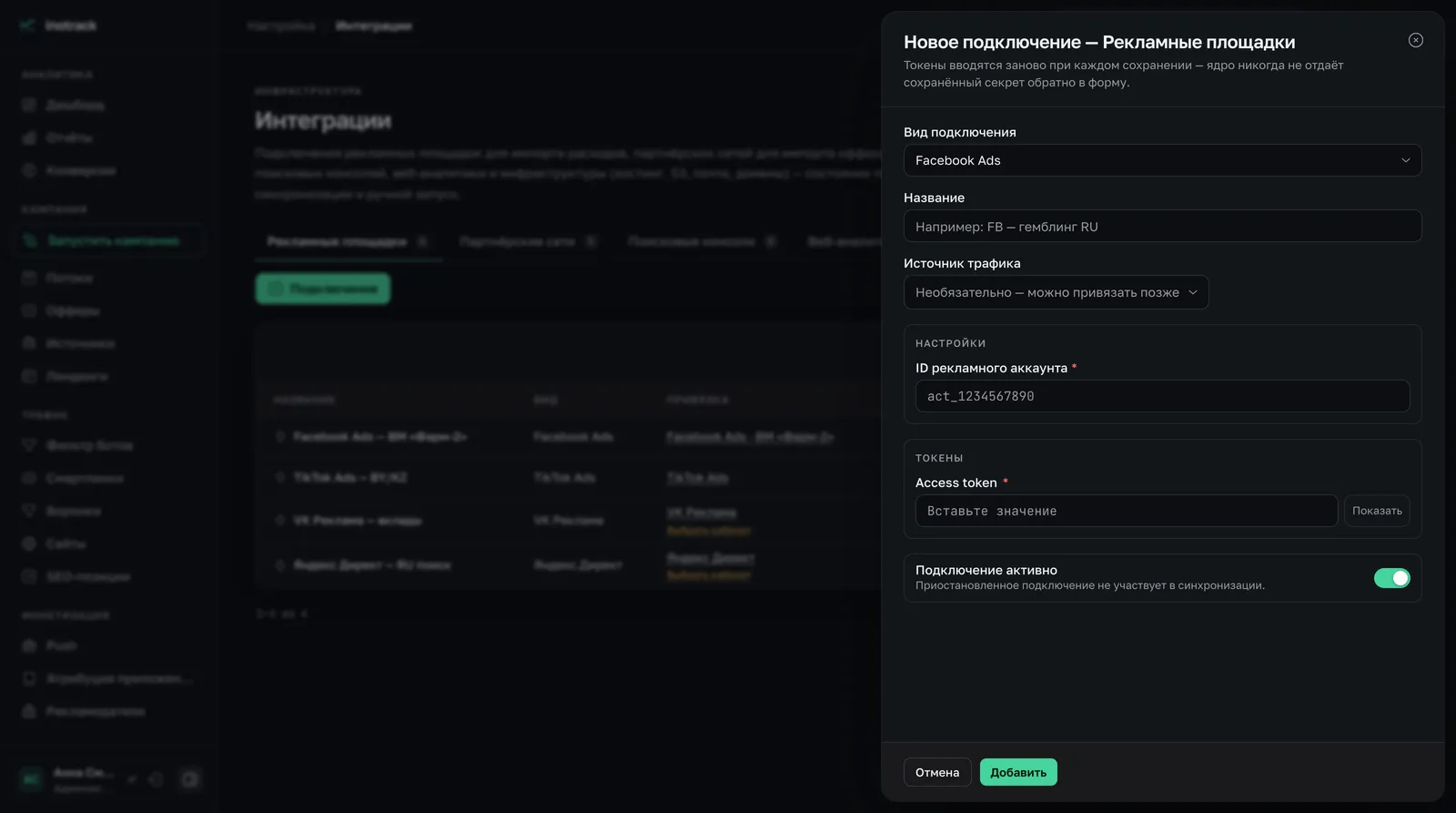
- Connection type: "VK Ads" or "Yandex Direct".
- Traffic source: the source from step one. Through it, spend is linked to clicks.
- Matching with tracker clicks: "By campaign, ad group and ad ID". This is the default mode, and it matches the templates above. The "By names" mode is needed only if your link parameters carry names.
- Sign-in. The sign-in button opens the platform's page. Sign in with an account that has access to the ad account and grant access.
- Choosing the ad account. Once you are redirected back, the tracker lists the ad accounts available to that login. Select the one you need and click "Save selection".
For Direct the list contains your own account and, if you sign in as an agency, the agency's clients as well: spend is taken for the selected client.
One connection covers one ad account. To use several ad accounts, add a separate connection for each; every connection can be bound to its own source.
Step 3. The link in the ad
Get the link for the ad from the flow page: it has a "for the ad account" option, a tracking link with the source template already appended. Paste that one into the ad.
Checking is simple: open the ad and look at the final URL. It should contain numbers in place of the macros. If you see curly braces, the platform did not fill them in, and the template was entered into the wrong field.
Step 4. The first cycle
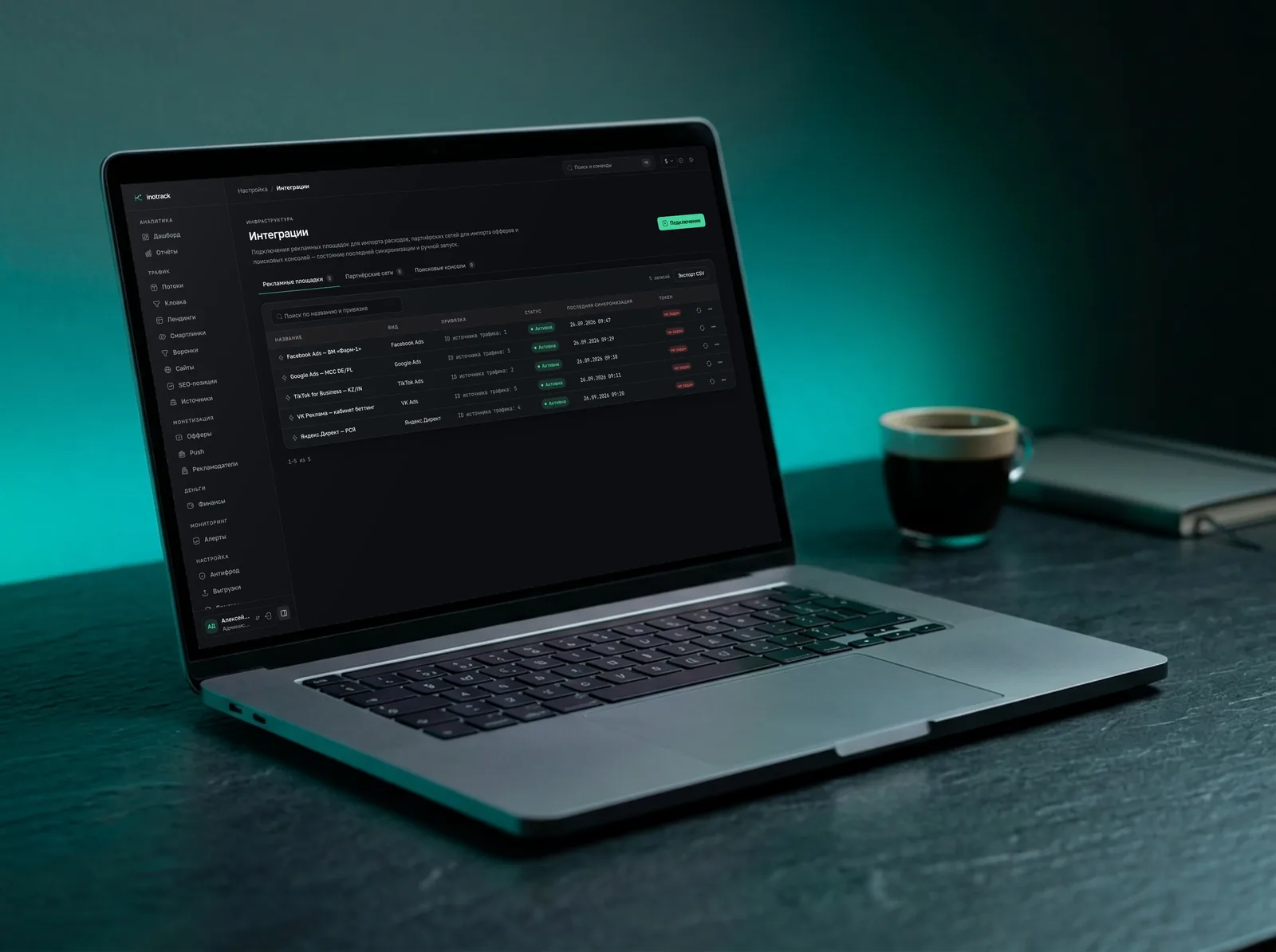
Sync runs when the tracker starts and then once an hour. If you do not want to wait, use the "Run sync" button in the connection row.
What is fetched:
- spend, impressions and clicks by day, at campaign, ad group and ad level;
- for the current day, every hour;
- for yesterday, once more on the first run of the new day: ad platforms keep adjusting spend after the fact.
Days are counted in UTC. So "yesterday's" spend fully matches the ad account not at midnight Moscow time, but only after the first run of the new day.
Platform specifics
Yandex Direct
- Amounts exclude VAT. The tracker requests the report net of VAT. If you are used to the ad account's VAT-inclusive figures, spend in the tracker will be lower. That is not an error.
- The report is not built instantly. Direct can put a report into a queue. The tracker waits for it to be ready within the same run and does not postpone it for an hour.
- Ad level. Spend comes with campaign, ad group and ad identifiers, exactly what the link template carries.
VK Ads
- Three levels with different names. A campaign is an "ad plan", an ad group is an "ad group", an ad is a "banner". In the tracker's reports they go by the usual names.
- Deleted ads. Statistics are requested for the list of the ad account's ads, and deleted ones are not in that list by default. Spend for an ad that was deleted during the day will not be pulled. Pause ads rather than deleting them until the day is over.
- Ad account currency. By default spend is counted in rubles.
Currencies
Spend in rubles and a network payout in dollars is a common case. Each spend row is converted at the Bank of Russia rate for its date; rates are updated once a day. A row with no rate available is not written as zero but goes into sync errors. Zero spend in a report is more dangerous than missing spend: it makes a losing campaign look "free".
Spend and flows
Now for something that is often misunderstood.
Spend in inotrack is tied to the source and the campaign, not to the flow. The ad account knows nothing about the tracker's flows: it returns an amount per campaign, ad group and ad. Therefore:
- a report by source, campaign, ad group and ad shows spend, profit and ROI;
- a report broken down by flow does not show spend: the panel does not offer that combination, and the API responds with an error rather than showing a zero;
- for the same reason, spend, profit and ROI are not available to the buyer role: a buyer's reports are limited to their flows, and a source can be shared by several buyers.
How to work with this in practice:
- One campaign, one flow. If each ad campaign leads to its own flow, the campaign report is the flow report.
- Use the same names. A campaign in the ad account and a flow in the tracker with a shared prefix are easy to match by eye.
- Do not spread one campaign across several flows. The clicks will split across flows, and spend will stay as one row.
- A separate source per ad account. If you have several ad accounts on one platform, create a source for each, and the spend will not mix.
The overall money picture is in the finance module's P&L: approved revenue minus traffic spend minus other expenses, broken down by source.
If spend does not match
Compare one campaign for one day in one currency.
- There is no spend at all. Open the connection: the last sync error is shown on its card. Most often it is an expired token or an ad account that was not selected.
- There is spend, but not in the rows where the clicks are. The keys did not match. The ad link carries names and the integration is set to IDs, or the other way round. Or the campaign and the ad group are mixed up in the template.
- There are clicks, spend is zero. Traffic goes through a link without the source template: the ad was created before the setup, or the link was pasted without parameters.
- Spend is lower than in the Direct ad account. Compare with the amount excluding VAT.
- Yesterday does not match. Wait for the first run of the new UTC day.
- VK spend is lower. Check whether any ads were deleted that day.
Platforms without an API
For sources that are not in the list of integrations, spend is entered manually on the source card: as an amount for a period or as a cost per click. In the second mode the tracker multiplies the price by the number of the source's clicks, not counting bots and test clicks. Manual spend shows up in the same reports as imported spend.
Summary
Automated spend import rests on three things: an OAuth app on your server, a link template with the ad account's identifiers, and a connection bound to a source. After that, spend arrives on its own every hour, and ROI by campaign and ad is calculated without spreadsheets.
Further reading:
- cost import (in Russian): what the feature can do;
- integration catalog (in Russian): the full list of platforms;
- guide to the VK Ads setup (in Russian): step by step, with screenshots of every screen;
- reports and analytics (in Russian) and the finance module (in Russian);
- the article on end-to-end spend analytics (in Russian): the big picture;
- sending conversions to ad accounts (in Russian): set this up so the platform optimizes for leads, not clicks.