Conversion reconciliation via API: how to find lost postbacks
A lost postback is invisible from inside the tracker. Here is how reconciliation against the network's API finds such leads, backfills them without duplicates, and what the report shows.
A postback is a single HTTP request from the network to your tracker. If it does not arrive, the tracker never finds out: the lead is in the network's dashboard, the money has been credited, and the campaign report does not show it. You kill a campaign that is actually profitable, or keep running traffic at a loss because you think the network "has not confirmed yet".
Lost postbacks are invisible from inside the tracker by definition. There is only one way to find them: compare what the network knows with what the tracker knows. Below is how this reconciliation works in inotrack, how to turn it on via API for Admitad, CityAds and Leads.su, and how to read the report. The panel UI is in Russian for now, so section and button names below are given in translation.
Why postbacks get lost
The causes are mundane and the same for everyone:
- The network did not send it. A queue failure on the network's side, the postback was switched off while editing settings, the URL has not passed moderation yet.
- The network did not send it for every status. For example, the dashboard is set to send only when a lead is created, and not on approval or rejection. Sometimes a network simply does not send a postback for a particular status transition.
- The tracker was unavailable. A server reboot, an expired certificate, a DNS problem. Some networks retry, some do not.
- The postback arrived but did not match. No clickid, the click was not found, the status is not in the dictionary. inotrack puts such cases into quarantine with a reason. They are not lost, and you can see them on the "Quarantine" tab. But they still need to be dealt with.
Quarantine will not catch the first three cases: nothing reached the tracker.
Three ways to reconcile
In inotrack, reconciliation with a network is one mechanism with three data sources.
- A file. On the "Network reconciliation" tab of the "Postbacks" section you upload a conversion export from the network's dashboard: CSV or XLSX, up to 10 MB and 50,000 rows. It works for any network that has an export.
- The Unicom24 dashboard. The network has no statistics API for affiliates, so the tracker signs in to the dashboard with your login and once a day fetches the detailed 30-day report.
- The network's API. For Admitad, CityAds and Leads.su the tracker fetches conversions via API on its own: on a schedule, with no files.
From there, rows from any source go into the same row-by-row comparison. So the reports look the same, and the backfill rules are shared.
How API reconciliation works
Once an hour the integration scheduler asks the network for conversions within a window, by default the last 7 days. Each network row is matched against the tracker's conversions by clickid and lead identifier.
Where the clickid comes from:
| Network | API method | clickid | Lead identifier |
|---|---|---|---|
| Admitad | action statistics | subid |
action_id |
| CityAds | order statistics by conversion date | xid |
submissionID or orderID, your choice |
| Leads.su | conversion list, all statuses | aff_sub1 |
conversion id |
Reconciliation compares the network's rows with the postbacks of a specific connection: the one set up in "Postbacks" for the same advertiser. If there is no such connection, there is nothing to compare with: the scheduled reconciliation is silently skipped and retried a day later.
Fresh conversions are left alone
A conversion created in the network five minutes ago has almost certainly not arrived by postback yet. It is too early to call it lost. So reconciliation defers rows less than two hours old until the next run. The delay is configurable.
How to turn it on
Reconciliation is turned on in the network connection settings: "Integrations" → "Affiliate networks", source "Network API on a schedule".
- Set up a postback connection. Regular postbacks have to work first. How to configure them is covered in the article on Leads.su, Admitad and CityAds postbacks.
- Connect the network via API. You need a token or keys from the network's dashboard, and the integration has to be linked to the advertiser.
- Keep the "Report only" mode. It is the default: reconciliation builds a report and writes nothing.
- Open the first report. It appears in the connection's reconciliation history labeled like "API reconciliation · Leads.su".
- Turn on backfill once the report looks plausible.
Settings fields:
| Field | Default | Range |
|---|---|---|
| Conversion reconciliation via API | report only | report, report and backfill, do not reconcile |
| Reconciliation window | 7 days | 1 to 30 |
| Reconciliation interval | 60 minutes | 15 minutes to a day |
| Wait for the postback of a fresh conversion | 120 minutes | up to a day |
A window longer than 30 days cannot be set: beyond that the tracker does not remember decisions on leads, and reconciliation could not tell new ones from those already counted.
How to read the report
Each network row gets one of these outcomes:
- Matches: the conversion exists, and the status and amount are the same.
- Lost on our side: the network has the conversion, the tracker does not. This is a lost postback.
- Status is behind: we have a lead, and the network has already approved or rejected it. The postback about the status change was lost.
- Statuses differ: we and the network have different decisions on the same lead, or the lead identifiers did not match (more on that below).
- Amount differs: the status is the same, the payout is different.
- Only on our side: the tracker knows about the conversion, and the network did not show it in the export.
- Our status is newer: the lead's status in the tracker is later than in the network's data. Usually the network's statistics simply have not updated yet.
- Skipped: no clickid, the row is older than the window, there is no click with that clickid, the status was not recognized, or the row is a duplicate.
The report table has a "Needs attention" filter. It keeps the rows that are lost, behind, different in status or amount, or only on our side.
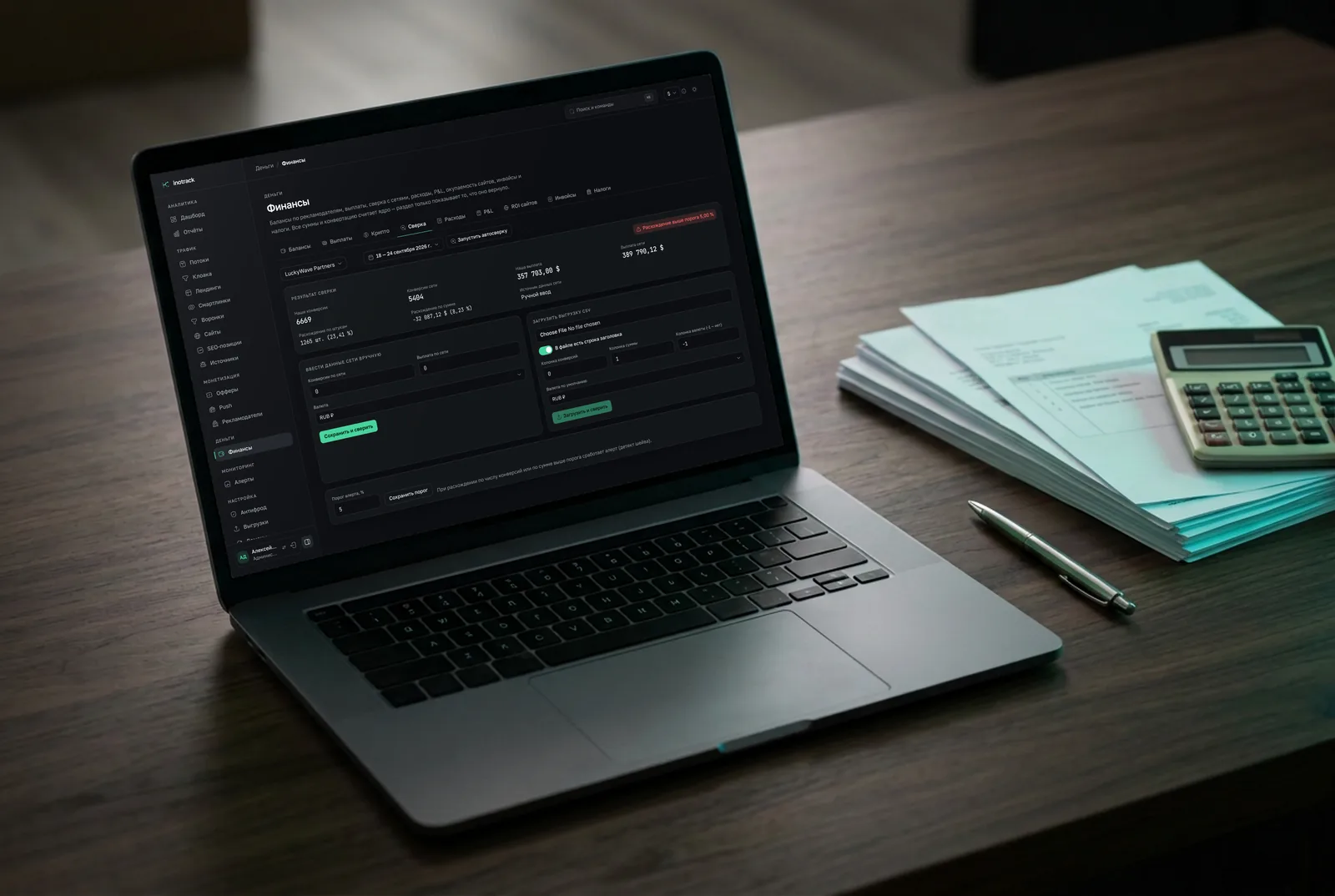
Totals for the period also go to the finance section: "Finance" → "Reconciliation" shows the number of conversions and the amount on your side and on the network's, and highlights a discrepancy above the threshold.
What backfill does
In the "Report and backfill" mode, two categories of rows are put into the regular postback intake queue, as if the network had sent them itself:
- lost conversions are created;
- a status that is behind is updated on the same conversion.
After that they follow the same path as any postback: status dictionary, deduplication, anti-fraud, currency conversion, write. How a backfilled conversion differs:
- the date is taken from the network's data, not "now", and cannot be earlier than the click;
- caps do not count it, or an old lead would eat into today's offer limit;
- its origin is marked as "reconciliation" in the event and in the webhook;
- when backfilling from a file, outgoing postbacks to traffic sources are not sent by default. This is a switch in the form.
The other discrepancies (amount, status conflict, "only on our side") are not fixed automatically. Those are decisions for a person to make.
Why duplicates do not appear
The main fear with automatic backfill is duplicate conversions. The protection has two layers.
Deduplication. The conversion key is the network, the clickid, the goal and the lead identifier. Running reconciliation again on the same data creates nothing. A late postback with the same lead identifier after a backfill will not create a second conversion either.
Identifier check. The weak spot is when the lead identifier in the network's statistics and in the postback differ. Then the backfilled conversion and the late postback would land side by side. Reconciliation catches this: if the tracker has conversions for the click, but none of the identifiers from the network's data matched them, the row gets the outcome "Statuses differ", not "Lost on our side", and is not backfilled.
Hence a practical rule: report first, backfill second. If the first report has many "Statuses differ" rows for clicks that do have conversions, the identifiers do not match. What to do:
- CityAds. The network's documentation does not say which statistics identifier matches the postback macro. In the integration settings, switch "Conversion ID for reconciliation" from
submissionIDtoorderIDand look at the next report. If neither matches, choose "Do not match by ID". - Leads.su. If the postback does not pass the conversion identifier, choose "Do not match by ID".
- Admitad. Check that the action identifier arrives in the postback's transaction parameter.
What to do with the results
Reconciliation is not just a way to backfill money. The report shows what exactly is broken.
- Many lost conversions in a row within one period. During those hours the tracker was unavailable or the network was not sending. Check the server log and the postback status in the network's dashboard.
- Lost on one offer only. The offer has its own postback URL in the network's dashboard, or the clickid is not being passed in its URL.
- "Status is behind" in bulk. The network does not send a postback on status change. Turn on sending for approval and rejection in the dashboard.
- "Amount differs" in bulk. The network adjusts payouts after the postback, or the mapping reads the wrong amount parameter.
- Many "Only on our side". The network did not credit leads it had sent a postback about. That is a question for your account manager at the network, and the report is your evidence.
Every run is also recorded in the integration's own import log: how many rows were received, how many fresh ones were deferred, how the reconciliation ended. A network API error, such as an expired token or an unavailable server, shows up there too.
What reconciliation does not do
- It does not replace postbacks. It runs once an hour and with a delay for fresh conversions. Ad account optimization, rules and caps run on postbacks.
- It does not work without a postback connection. The comparison is made against the postbacks of the advertiser's specific connection.
- It does not cover every network via API. There are adapters for Admitad, CityAds and Leads.su. For Unicom24 reconciliation goes through the dashboard, for the rest through a file.
- It does not bring back what the network does not have. If the network itself lost the lead, reconciliation will not find it.
To learn about a problem before the next run, the postback silence alert comes in handy: the tracker sends a Telegram message when conversions stop arriving from a network. It is described on the alerts page (in Russian).
Summary
A lost postback is not a rare incident but a slow, constant leak that you cannot see without comparing against the network. Turn on API reconciliation in report mode, look at the first run, make sure the lead identifiers match, and only then turn on backfill.
Further reading:
- postbacks guide (in Russian): the postback format and the details of reconciliation;
- finance module page (in Russian): what discrepancies look like in money;
- affiliate networks section (in Russian): the list of networks and connection methods.